
Technology that stands the test of time becomes more complex. Likewise, attacks also mature and become more complex. So why do we continue to educate people on phishing the same way we did 10 years ago?
I see a lot phishing attacks, and those attacks become more complex every day, but the user education hasn’t changed much. The following is a list that comes from top search results for “How to prevent phishing.” You can probably guess most of them without looking:
- Misspelled words
- Bad grammar
- Don’t open attachments
- Domain name misspelled in links
- The message creates a sense of urgency.
- The message asks for money.
- Odd greeting “Hey Dear,”
Before you scoff, I’m aware that this holds true to many phishing attacks that occur today. I can check my junk folder right now and see examples of each of these. However, I’m not worried about the email that lands in my junk folder. I’m worried about the convincing emails that pass all the checks and arrive in my inbox.
In my personal experience on the enterprise level, more than 80% of the phishing attacks are credential harvesting. An email will claim to be a service used by a coworker to send you a fax, document, or voicemail. These emails look legit with no spelling mistakes and occasionally include some standard customer policy or disclaimer at the bottom, and sometimes a company logo. Many will show a thumbnail or convincing icon of a document, a fake media player, or link of some kind. All of which are links to a website. When clicked, a webpage opens asking for credentials to proceed. Many times, the page will show your email address at the top, giving it that extra legit look. Once the username and/or password is typed in, the creds are sent to the attacker and the webpage forwards the victim to the real site.
The credentials it’s trying to harvest are generally Google or Office365, but can occasionally show up as iCloud, Twitter, Facebook, or your email provider.
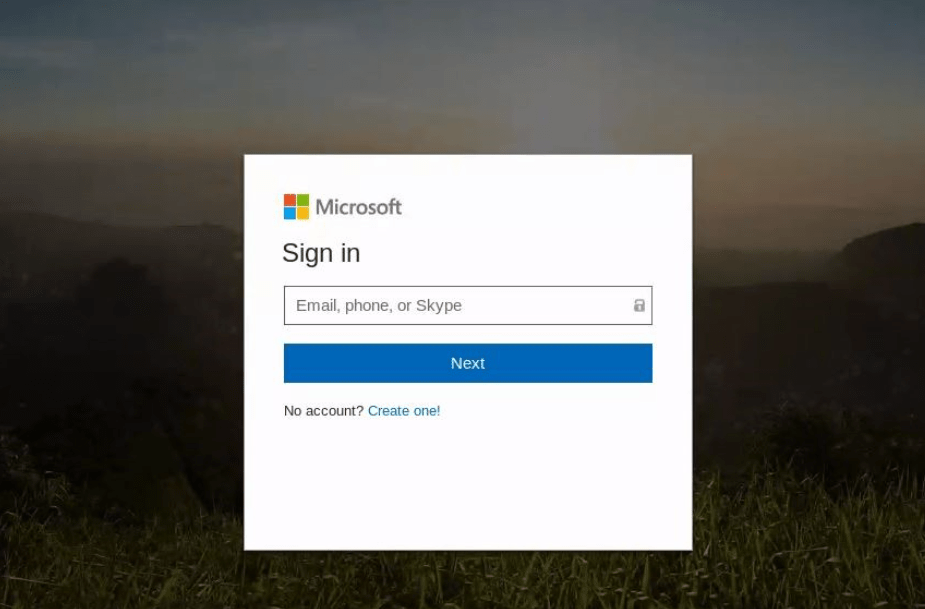
Digging deeper, I’ve noticed many times that the landing page isn’t the original URL in the email. The link will send the user to a page on a domain that does some checks and then forwards to another webpage, or sometimes multiple pages, and many times on a separate domains. Occasionally they will attempt to check for active sessions on Twitter, iCloud, LinkedIn, O365, Google, and Facebook, and redirect to a spoofed portal based on what it finds.
Others involve “Off the Shelf” Phishing Apps, such as BLACK EYE Phishing Tool, which is the updated version of ShellPhish. https://github.com/8L4NK/blackeye
So what does a convincing phishing attack look like? Below is an example of a phishing attack that threw me off at first. If I wasn’t already familiar with the types of emails sent my O365 Security and Compliance, this would have been hard to spot. The first clue was the sender’s address.
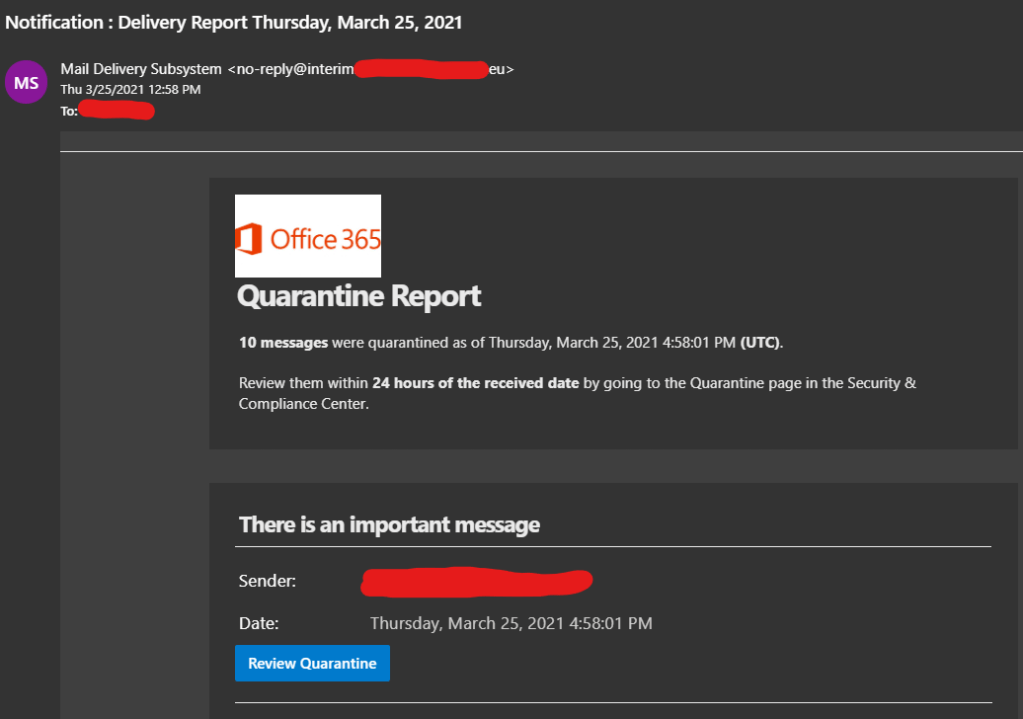
This was a clever idea. Most people would not expect an email telling you to check O365 Security and Compliance to be malicious. It has the O365 logo, convincing subject line and sender name, and an added sense of urgency. Note that there are no spelling mistakes, attachments, bad grammar, odd greetings, or requests for money. From the list above, the only item you can see is the sense of urgency.
Back to the reason for this post, are we educating people properly about phishing attacks? My answer is ‘not entirely’. That earlier list is useful because attacks like that still exist, but bad spelling and grammar should be a side note, not the top of the list, and unfortunately that’s the only part most people remember.
Here are a few suggestions I have for phishing education:
First off, people need to consider when they should and should not give out their email address. I say this for two reasons:
1. If signing up for a free service, your information is likely to be sold, and it’s not always clear who is purchasing it.
2. Giving out your email address less means you receive less emails. The more emails you receive, the more likely you are to rush through checking them.
We need to be more cautious on who we choose to give our information to. We might trust that Facebook will only show our information to those in our friends list, but what happens when their information is leaked? At the time of writing this, a recent news story showed personal data had been leaked from 533 million Facebook accounts. This included names, email addresses, physical addresses, phone numbers, date of birth, gender, and so on.
If you are required to provide an email address for a service, consider having two separate email accounts, one for personal and financial use, and another signing up for services, such as social media or an app. This can also help people spot emails that don’t belong.
Most of all, use common sense. People need to take time to ask themselves “why am I receiving this email?” The person that received the O365 security and compliance email above did not have access to that service, and anyone that does have access knows better. For all unexpected emails, don’t click the link within the email. Type the address into the browser manually, or use a search engine. URLs and Links within emails make up most of the phishing attacks that make it into an inbox.
If your friends, family, or coworkers email you asking for anything specific, such as money or personal information, call them. Especially if there is a sense of urgency. If the email says they can’t be reached, contact them another way. If it was that urgent, they probably wouldn’t have sent an email.
If you suspect that your username and password has been stolen, change your password as soon as possible. If any other account shares the same password, changes those also. Use 2 Factor Authentication!!! Either an authenticator app or a physical device like a Yubikey. You can purchase a Yubikey 5 with NFC from Amazon using my affiliated link below:
 LaffSec.com